
 RECORDING TELEPROMPTER · iOS 17+
It follows your voice, in your language.
Most prompters scroll at a fixed speed and leave you chasing the text — and the ones that listen only really listen in English. CuePrompt tracks where you actually are, in every language your iPhone can recognise on-device, then scores the take when you're done.
Three things it does properly.
And nothing it doesn't.
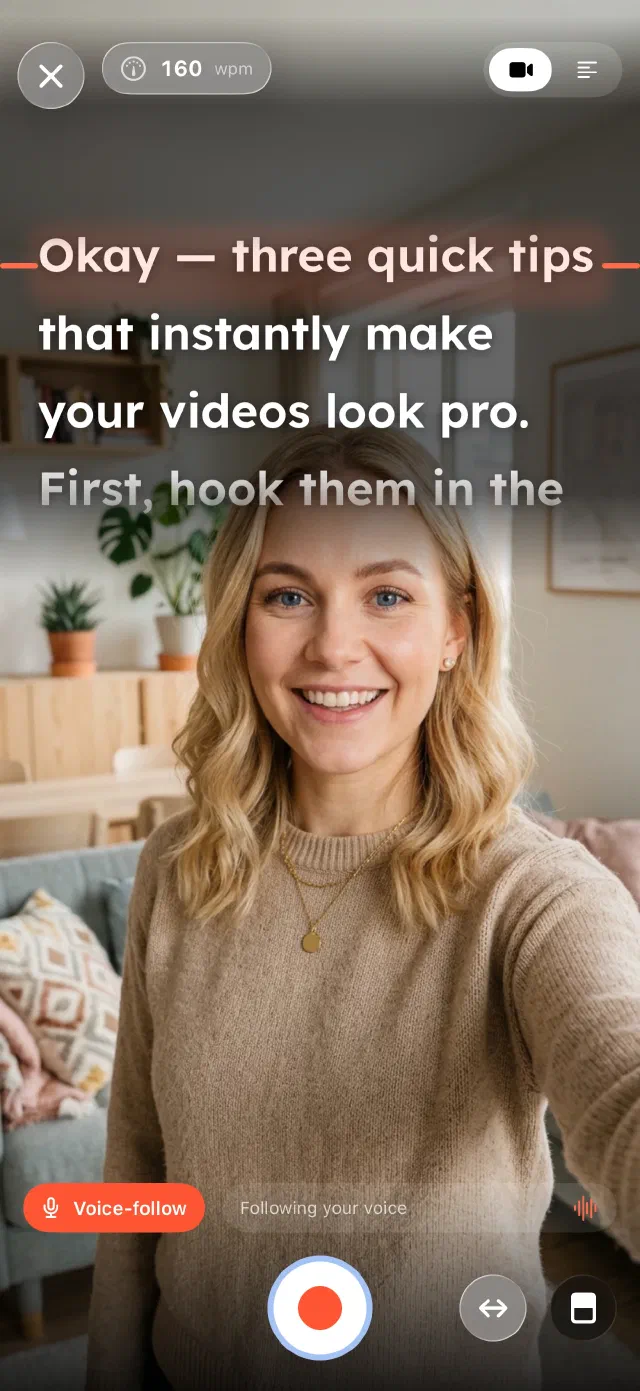
Voice-follow scroll
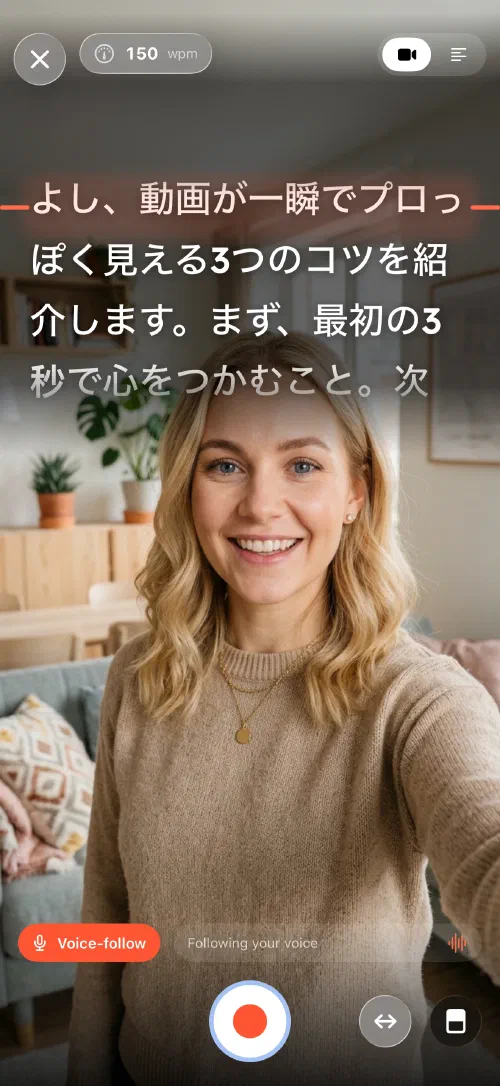
On-device speech keeps the script pinned to where you actually are. Pause, ad-lib, restart a sentence — it holds position instead of running away.
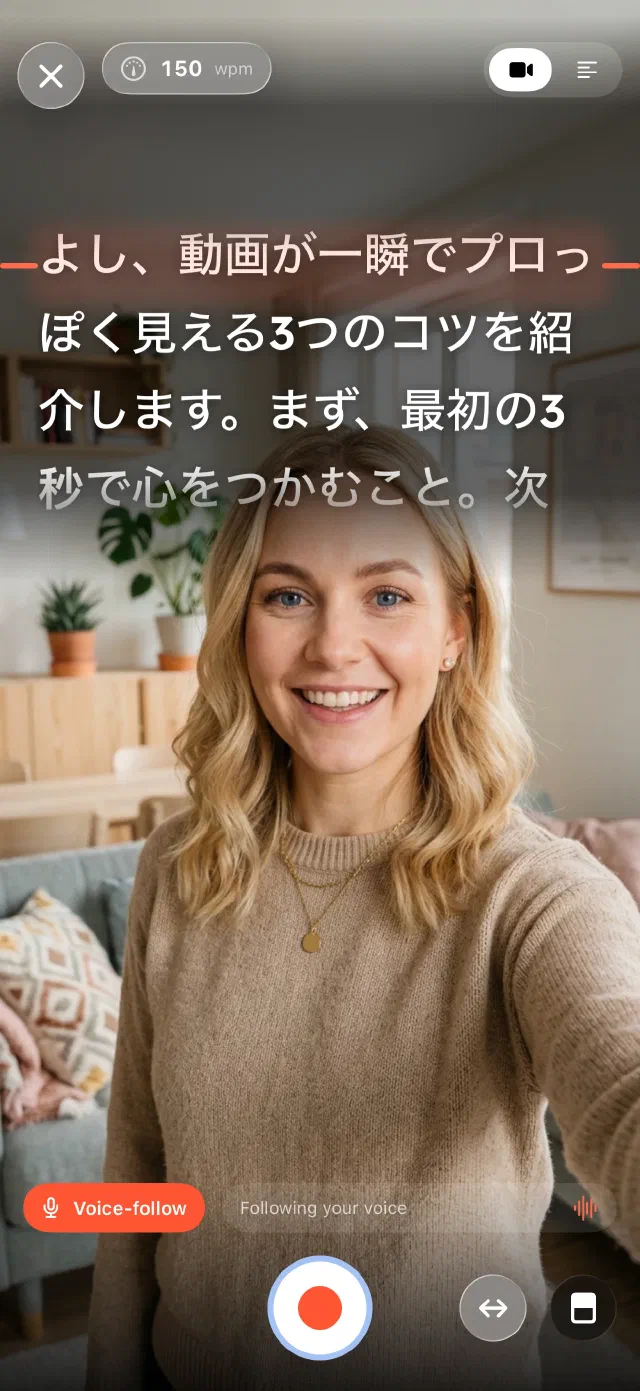
Nineteen languages, RTL included
The whole app is translated into nineteen languages — Arabic with proper right-to-left layout, not just a mirrored store listing. Voice-follow runs in every language your iPhone has an on-device speech model for.
Delivery coaching
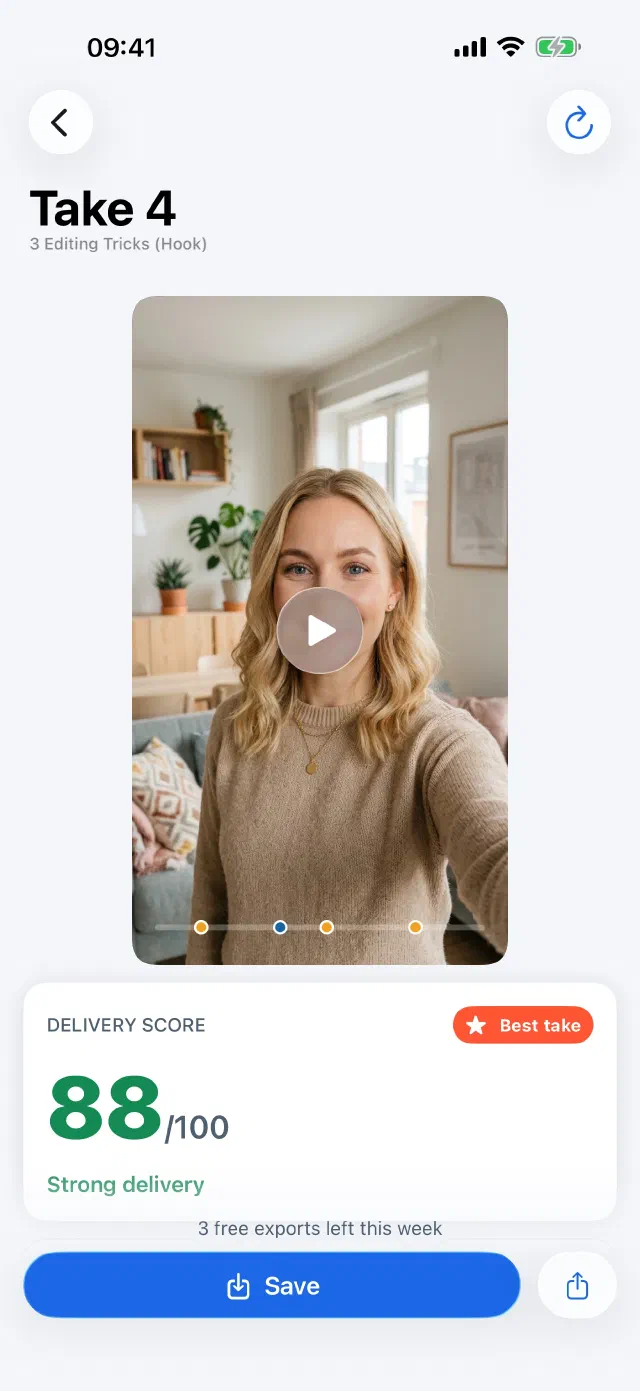
Live words-per-minute while you record; filler words, long pauses and a per-take score when you stop. Rehearse against the number, not a vibe.
What it actually does.
It follows your voice, in the language you speak.
On-device speech tracks where you actually are, so you can slow down, ad-lib or restart a line without chasing the text — in nineteen languages, Arabic included, with the prompter laid out right-to-left rather than mirrored as an afterthought. Manual and fixed-speed scroll are always there as a fallback.
Every take gets a score.
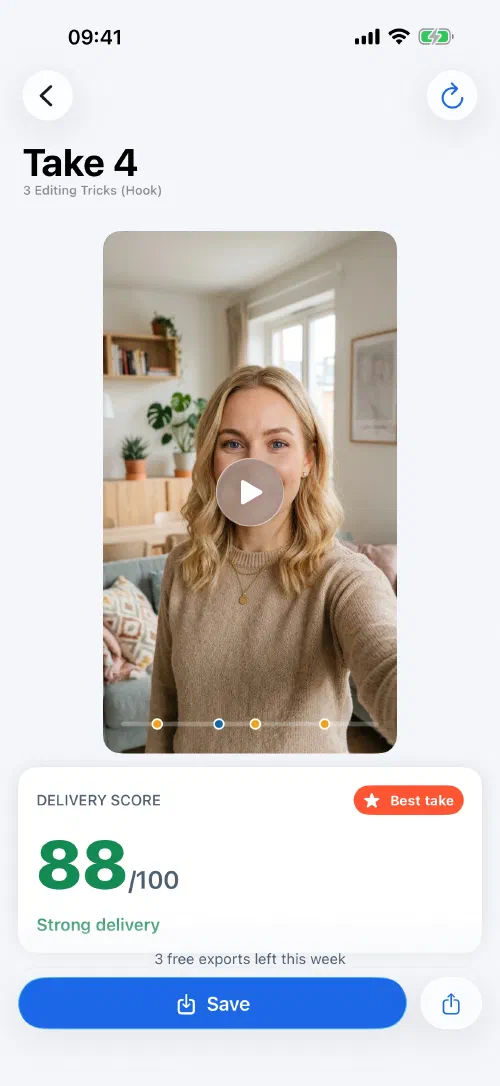
A score out of 100, your average words-per-minute against the target you set, filler words and the long pauses you didn't notice. It marks the best take of the session, so you know when to stop re-recording.
Write it, set the language, record.
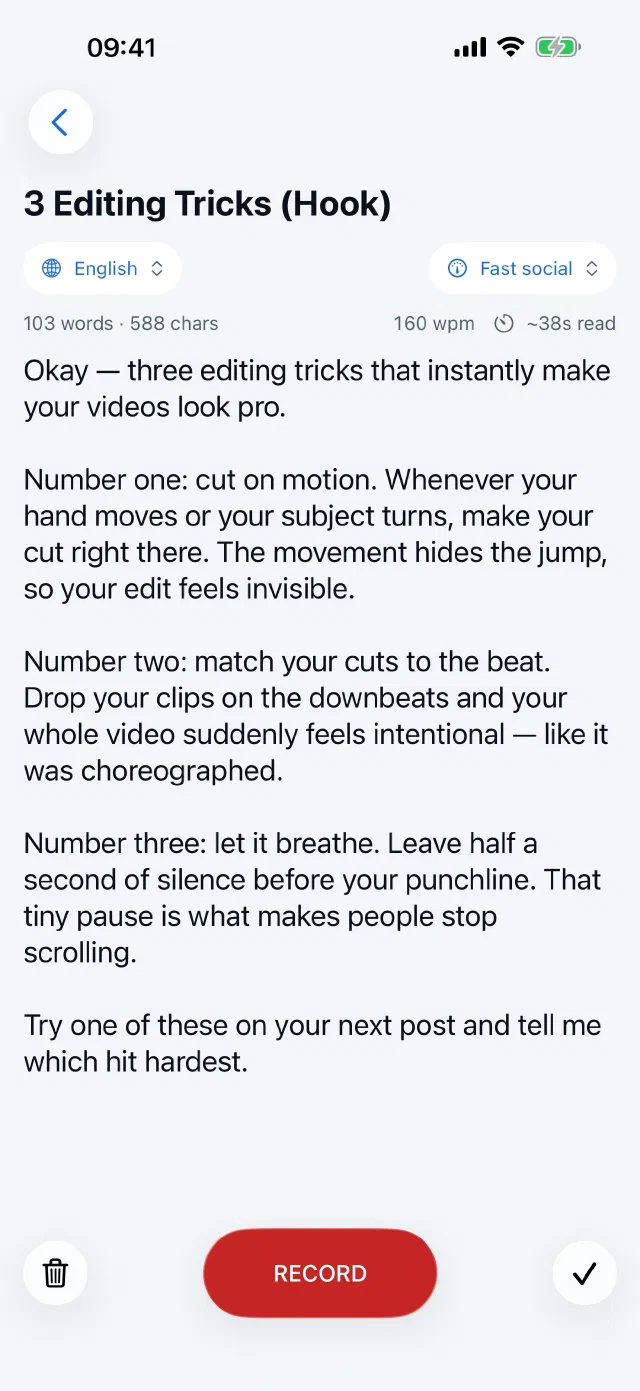
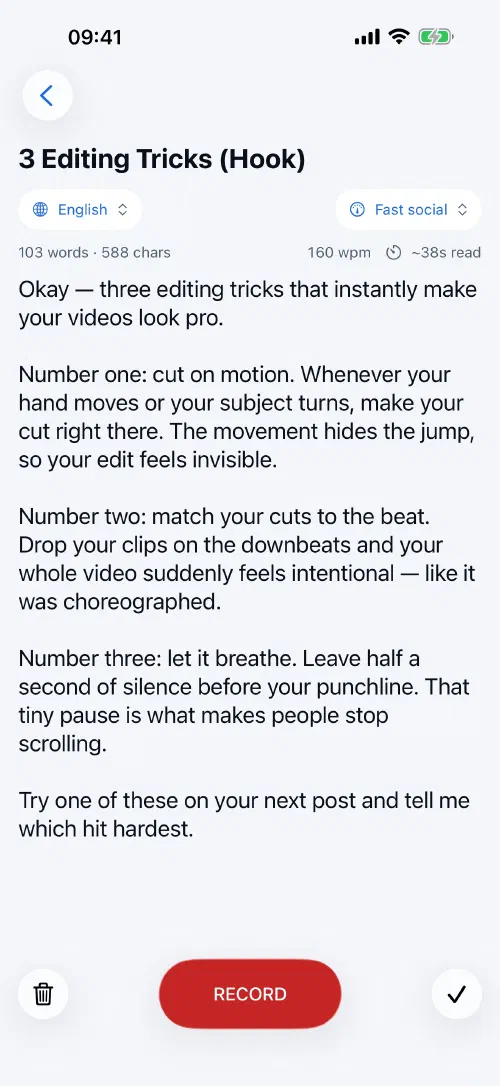
One setup screen. Type or paste the script, pick the language that drives voice-follow, choose a pacing target. It counts words and estimates the read time, so you find out a script is too long before you're on camera.
Your scripts stay where you left them.
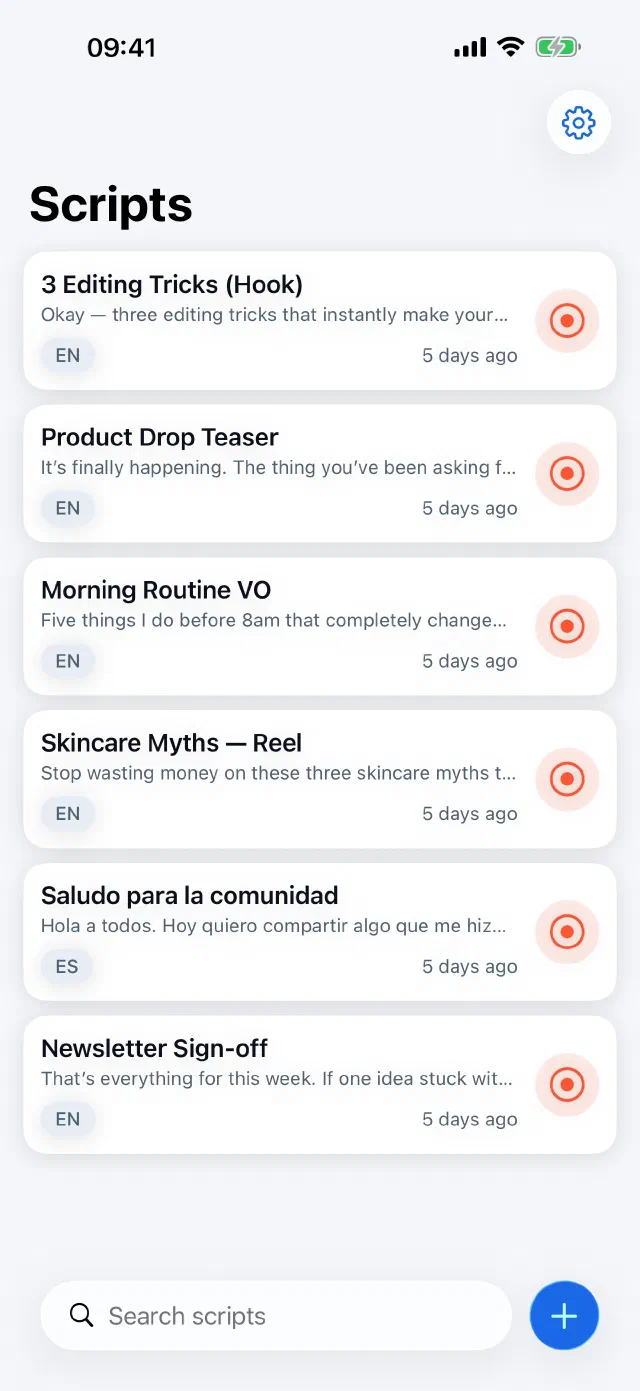
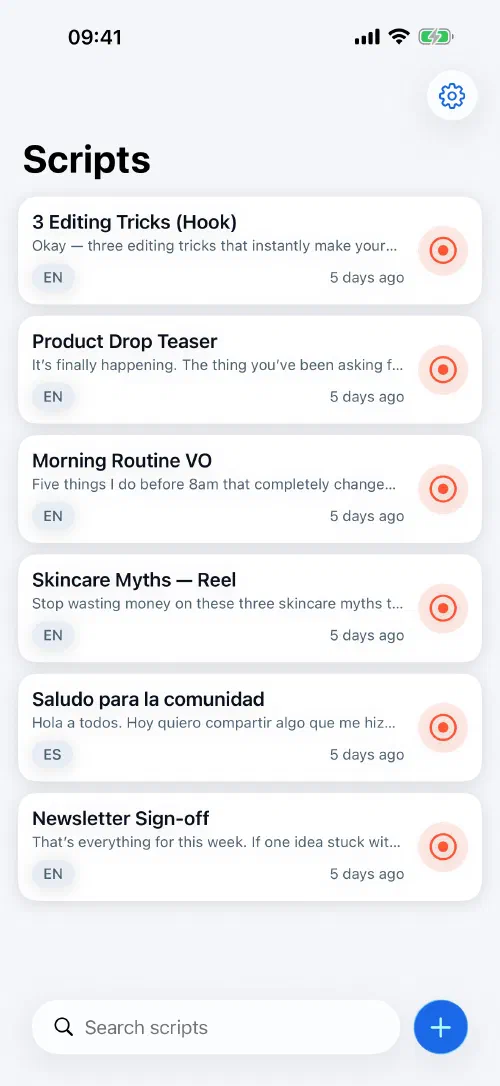
Saved scripts with the language each one is set to, synced through your own iCloud so they follow you between devices. Record straight from a row when you already know what you're reading.
It follows your voice, in the language you speak.
On-device speech tracks where you actually are, so you can slow down, ad-lib or restart a line without chasing the text — in nineteen languages, Arabic included, with the prompter laid out right-to-left rather than mirrored as an afterthought. Manual and fixed-speed scroll are always there as a fallback.
Every take gets a score.
A score out of 100, your average words-per-minute against the target you set, filler words and the long pauses you didn't notice. It marks the best take of the session, so you know when to stop re-recording.
Write it, set the language, record.
One setup screen. Type or paste the script, pick the language that drives voice-follow, choose a pacing target. It counts words and estimates the read time, so you find out a script is too long before you're on camera.
Your scripts stay where you left them.
Saved scripts with the language each one is set to, synced through your own iCloud so they follow you between devices. Record straight from a row when you already know what you're reading.
Record the take you meant to record.
Free to try, fully offline, and no account. Your script and your footage stay on the phone.